Instructions to access screening


NOTE: Complete the Screening right away when you register. DO NOT wait for the END date. The date listed on Sona Systems is an END date and not a participation date. Complete all six steps and SEE THE MESSAGE that you received credit.


Outline of the main steps includes:
  1. Login to Sona Systems
  2. Follow the steps shown below to access and complete the screening
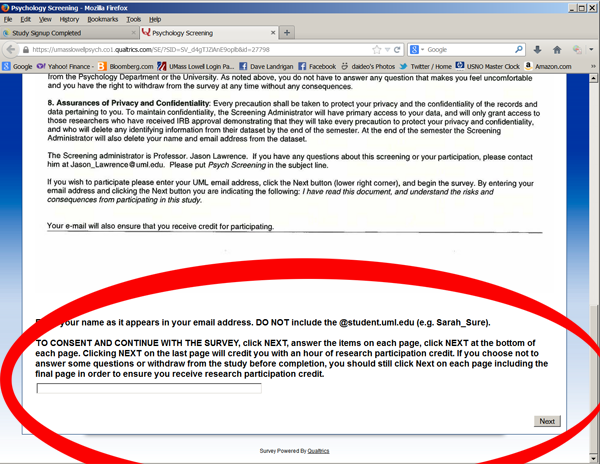
  3. At the bottom of the first page on the screening make sure you enter the same email name id that you used to login to Sona
  4. Complete the pages of the screening and click NEXT at the bottom of each page
  5. Make sure you click NEXT after completing the final page of the screening
  6. See the message that you received the credit from Sona

Step-by-step detail
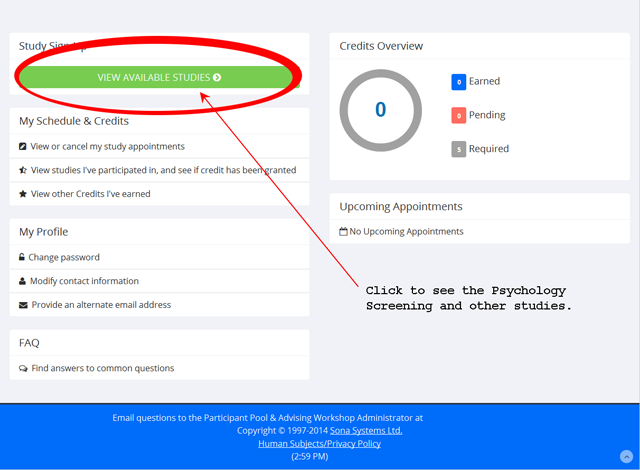
 Log in to Sona Systems. Click View Available Sudies.

 
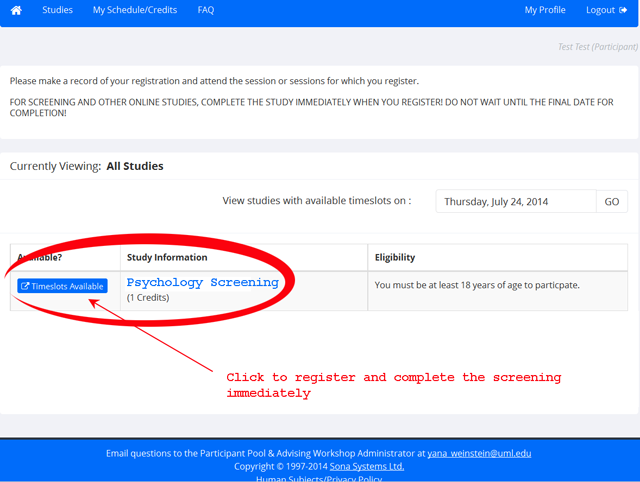
 Click Psychology Screening on the new page.

 
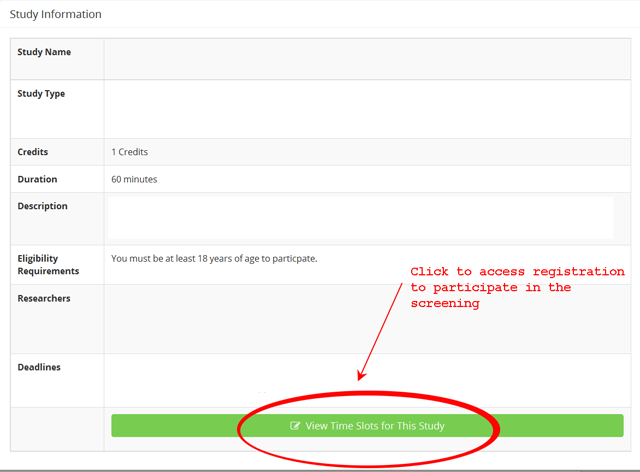
 Click View Timeslots for This Study on the new page.

 
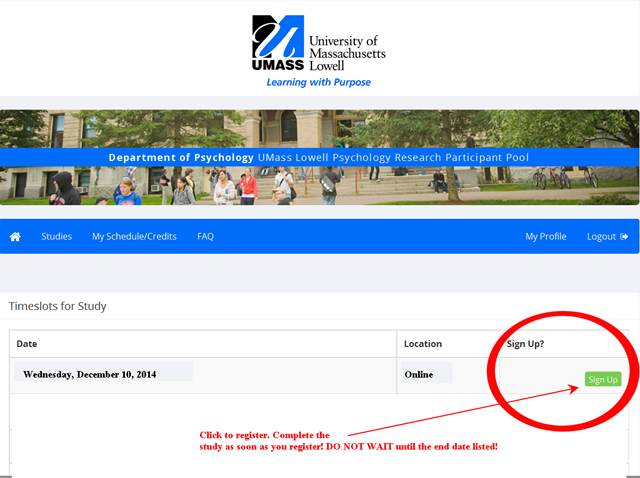
 Click Sign-up on the new page.

 
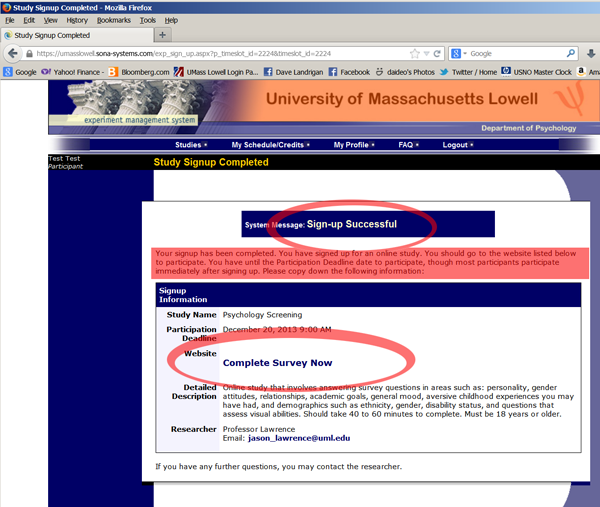
 See "Sign-up Successful" and click Complete Survey Now on the new page.

 
 Read the Informed Consent Form. Enter the same email id that you used to login to Sona Systems in the rectangular box at the bottom of the Informed Consent Form on the new page. You must click NEXT on the last page when you complete the screening in order to receive credit for participating. You will be notified when you receive credit.